GST Return Filing: How to Manage IMS Inward Supplies in TallyPrime
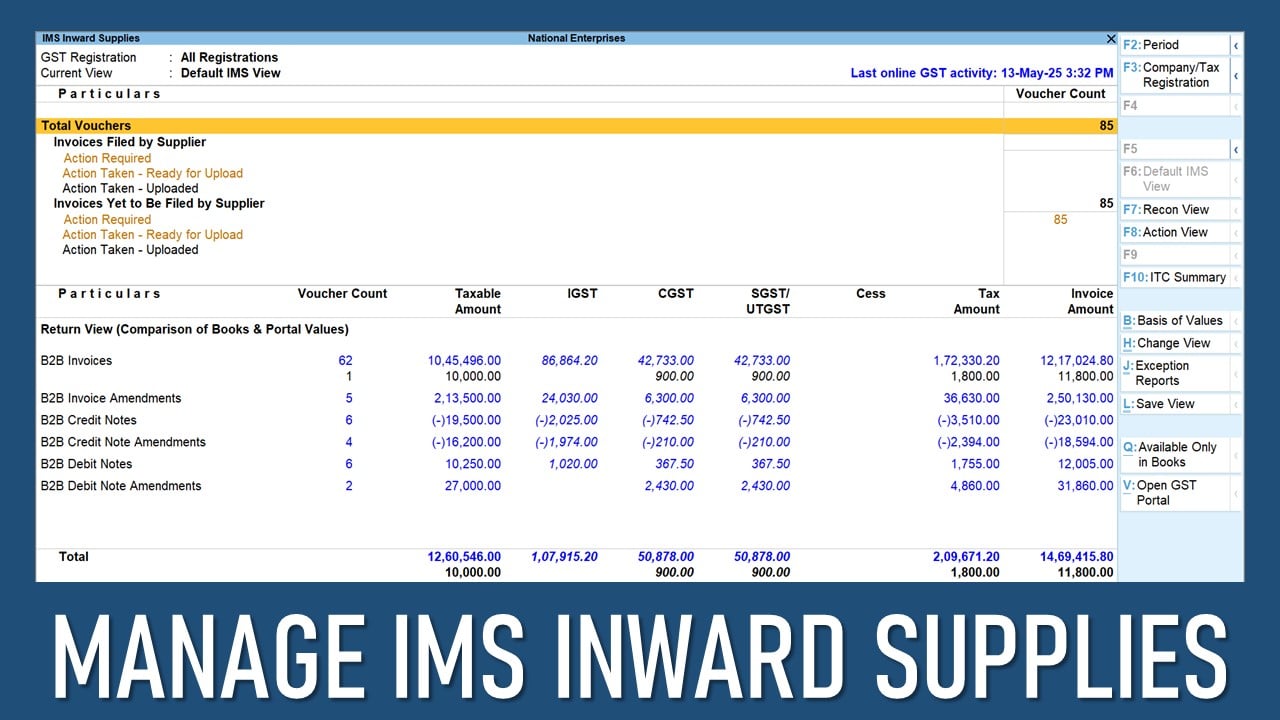
GST Return Filing: How to Manage IMS Inward Supplies in TallyPrime
Handling purchase invoices and claiming the correct Input Tax Credit (ITC) can be confusing and difficult, especially when suppliers delay or make mistakes in their GST filings, which causes discrepancies in your GSTR-2B and leads to wrong ITC claims.
TallyPrime, with its Invoice Management System (IMS), makes this easier. It allows you to download and manage the invoices your suppliers have submitted to the GST portal, right from within TallyPrime.
You can accept, reject or mark invoices as pending on the dashboard without having to navigate somewhere else. When you accept an invoice, it is counted as GSTR-2B ITC, and the rejected ones go to the ITC Rejected section of GSTR-2B. The pending ones stay in the system for review later. If no action is taken, invoices are automatically moved to GSTR-2B.